Small Business Automation Ideas: What to Automate First in 2026
Posted On: May 14, 2026
Last updated: August 2026 · Written by Rodi Taze, Co-Founder of AI Workforce, who works with UK small businesses to identify repetitive workflows, assess implementation risks and introduce AI-supported automation
Running a small business means wearing every hat. Automation does not remove that pressure entirely, but it can take a meaningful share of the repetitive work off your plate. This guide covers practical small business automation ideas, which tasks to automate first, and where AI tools genuinely help, alongside where they do not.
Quick Answer: Small businesses can automate repetitive, predictable tasks such as invoice reminders, appointment confirmations, lead follow-ups, CRM updates, reporting and social media scheduling. Start with one high-volume, low-risk workflow, measure the hours and errors before and after, and keep a person involved wherever the task affects money, customer treatment or sensitive communication.
What's Covered
Why Automation Matters for Small Businesses
What Can Small Businesses Actually Automate?
Signs Your Business Is Ready to Automate
How to Automate Invoicing and Payments
Email Marketing and Automated Email Campaigns
CRM and Customer Relationship Management
Social Media Posting and Content
Workflow Automation Across Your Tools
Lower-Risk vs Higher-Risk Tasks to Automate First
Automation Tools Worth Considering
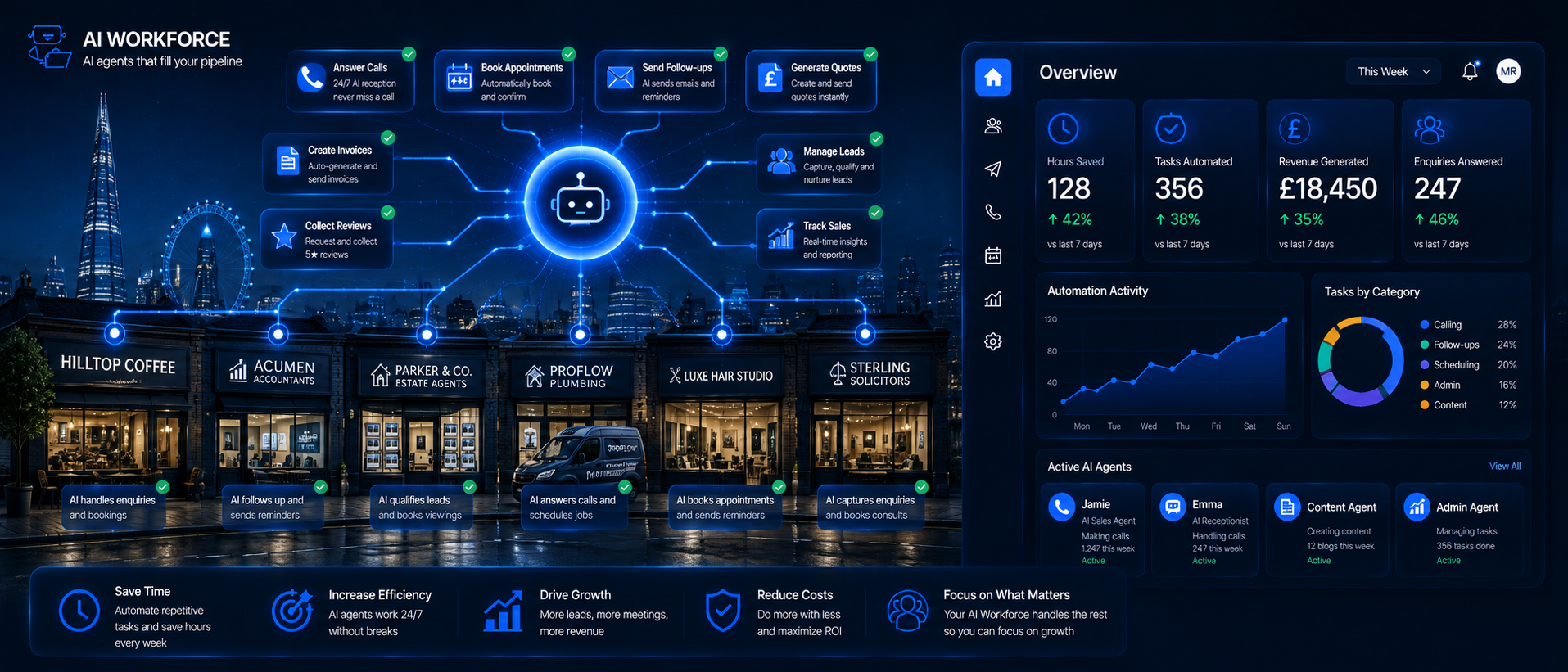
What This Can Look Like in Practice
A Simple Roadmap to Get Started
What Should You Not Automate?
Keeping Automations Working: Errors and Maintenance
Governance and UK Compliance
How to Measure Whether Automation Is Working
Frequently Asked Questions
Why Automation Matters for Small Businesses
Small businesses face a specific challenge larger companies do not: there is often no dedicated admin team, no in-house IT support and no marketing department. One person, or a very small team, does everything. That means a real portion of every working week disappears into repetitive tasks that keep things running but do not move the business forward. Automation addresses this by handling the routine so the owner can spend more time on the decisions that actually need their judgement.
The practical benefits are straightforward: less time on manual processes, fewer mistakes from re-keying information, and steadier follow-through. A scheduled invoice reminder goes out whether or not anyone remembers to send it. A confirmation email fires the moment a booking is made. A new lead gets an initial reply within minutes rather than whenever someone next checks their inbox. None of this is dramatic on its own, but it adds up across a working month.
By 2026, basic automation has become considerably more accessible for small businesses, largely through no-code platforms and AI features built into everyday tools. Awareness is one barrier to adoption, but it is not the only one: cost, data quality, the time needed to configure a workflow properly, and simple confidence with the tools all matter too. Understanding which tasks are good candidates, and being realistic about the effort involved, is the useful starting point.
What Can Small Businesses Actually Automate?
The honest answer is: more than most owners initially assume. Good candidates are tasks that are repetitive, follow a consistent pattern, and do not need nuanced judgement in the moment. A useful test: think about anything you do more than a few times a week that follows roughly the same steps.
Sending invoices and chasing overdue payments
Triggering a follow-up sequence when a new lead fills in a form
Updating CRM records when a deal moves stage or a contact responds
Scheduling and posting approved social media content across platforms
Generating routine weekly reports from sales or operations data
Sending booking confirmations and reminders
Routing customer enquiries to the right person or queue
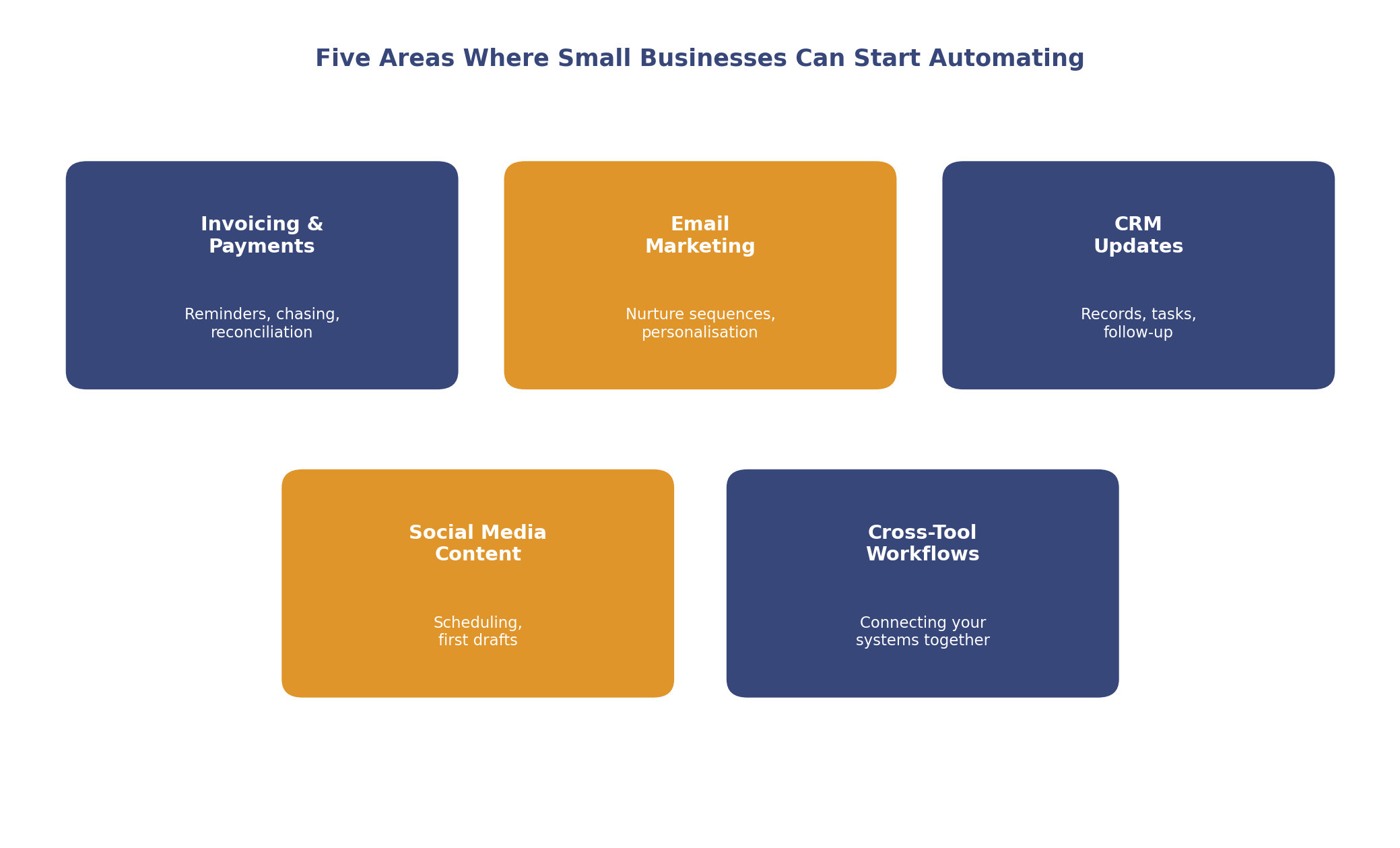
Illustrative starting map. Most businesses find at least one quick win in each of these areas.
AI Workforce Insight: the most common mistake we see is trying to automate a process that was never clearly defined in the first place. If three people in the business each handle the same task slightly differently, automating it locks in one version, inconsistencies included. It does not resolve the disagreement about the right way to do it.
The most effective approach is rarely to overhaul everything at once. Identify the single biggest bottleneck in your week, the task that eats the most time and needs the least creative thought, and start there. One well-configured automation that reliably saves two hours a week is worth more in practice than ten half-finished setups that nobody trusts. Automate one thing properly, measure the time saved, then move to the next.
Many small businesses also have time-consuming steps hidden inside processes they have never questioned: data re-entered from one system into another, emails manually forwarded to a colleague, information copied from a form into a spreadsheet. Mapping your week honestly, task by task, tends to surface two or three automations with an immediate, measurable payoff.
Signs Your Business Is Ready to Automate
Automation tends to work best when a few things are already true. You are in a reasonable position to start if:
The task follows roughly the same steps each time it is done
The data going into it is reasonably consistent and accessible
You can describe what success looks like in a measurable way
You can name the exceptions that need a person to step in
Someone is willing to own the workflow and check it periodically
The systems involved can actually exchange data with each other
You have a fallback for when the automation fails or misfires
If several of these are missing, it is worth fixing them before automating, since a messy process automated is still a messy process, just faster.
How to Automate Invoicing and Payments
Invoicing is one of the higher-value areas for automation in most small businesses. Raising an invoice, sending it, chasing it when overdue and reconciling payment is something many businesses still do by hand, which tends to mean delays, inconsistency and admin time that could be spent elsewhere.
Modern accounting tools such as Xero, QuickBooks and FreeAgent can automate large parts of the invoice lifecycle: an invoice goes out when a project is marked complete, a reminder is sent once a due date passes, and the record updates when payment arrives. For businesses that send a meaningful volume of invoices, this can meaningfully reduce chasing time and improve consistency, though the exact payback period depends on your invoice volume and current payment terms; it is worth measuring your own numbers rather than assuming a fixed return.
It is also worth being realistic about what automation does not remove. Disputes, incorrect amounts, partial payments, credits, failed payments and genuine customer hardship still need a person to handle them. Automation reduces the routine chasing, not the financial judgement calls.
AI tools can help in less obvious ways too: categorising expenses automatically, flagging unusual transactions, and preparing a draft summary for your accountant. For an owner who does their own bookkeeping, this can reclaim time that would otherwise go into reconciliation. Our guide on how AI helps accountants work faster goes into more depth on this specifically.
Email Marketing and Automated Email Campaigns
Email marketing is one of the more mature areas of small business automation. A well-configured sequence can carry a lead from first contact toward a purchase decision without a person manually sending each message: a welcome email when someone signs up, a follow-up after a click, a re-engagement message after a period of inactivity.
Tools like Mailchimp, ActiveCampaign and Kit make this achievable without technical expertise. The useful starting point is mapping the customer journey first: what does someone need to know at each stage before they are ready to buy, and building the sequence around that rather than around the tool's default templates.
AI has meaningfully improved this area: generating subject line options, adjusting body copy based on what a contact has previously engaged with, and suggesting a likely best send time. Drafting a full nurture sequence that used to take several hours can now take under an hour with AI assistance, though the output still needs a proper review before it goes live, particularly around claims and tone.
UK email marketing also sits under specific rules, not just general good practice. Under PECR, sole traders and some partnerships are treated as individual subscribers, so email or text marketing to them normally requires consent or a valid soft opt-in from an existing customer relationship. Limited companies, LLPs and other corporate subscribers are treated differently and generally do not need PECR consent for email marketing, though you must still identify yourself and provide a way to opt out. See our AI marketing automation guide for more on tools and compliance in this area.
CRM and Customer Relationship Management
A CRM is only useful if it stays up to date, but it can quickly become outdated in a busy small business because manual updates are easy to postpone. CRM automation addresses this by updating records based on what actually happens: emails sent, calls logged, deals moved, meetings booked.
Workflow automation inside a CRM can go further than just keeping records clean. When a deal reaches a certain stage, it can trigger an email to the customer, create a task for a colleague, or notify someone elsewhere in the business. Tools like Power Automate, Zapier, and Make connect a CRM to the rest of your stack, so an update in one place can trigger the right action somewhere else.
Automating follow-up can meaningfully improve responsiveness: a lead that comes in on a Friday evening can get an initial reply within minutes rather than waiting until Monday. CRM automation can help a small team respond more consistently and reduce missed follow-ups, though results still depend heavily on lead quality, your sales process and how well the CRM itself is maintained; it is not a guarantee of outperforming larger competitors on its own.
Social Media Posting and Content
Social media posting is one of the more time-consuming, and one of the more easily automated, small business tasks. Tools like Buffer, Hootsuite and Later let you batch-create content and schedule it across platforms in advance, removing the daily interruption of deciding what to post.
AI has changed what is realistic here: generating a week's worth of post ideas from a single brief, drafting captions, and suggesting posting times based on your audience data. Repurposing a blog post into several social posts, previously an hour of manual work, can now take a fraction of that with the right tools. The practical approach is to use AI for the first draft and spend your own time on the judgement calls: which ideas to use, what tone fits, what to respond to in comments.
There is a genuine limit here. Real engagement, responding to comments, joining conversations, building relationships, still needs a person, and audiences can usually tell when it does not. The sensible balance is to automate scheduling and first-draft content while keeping the actual engagement human.
Workflow Automation Across Your Tools
Workflow automation is the connective layer between your other tools. It is what lets a form submission on your website trigger a sequence in your CRM, which triggers a notification to your team, which triggers a follow-up email to the customer. Without it, someone has to manually carry information between each step.
Platforms like Zapier, Make and Power Automate connect apps through a visual interface without conventional coding. A simple workflow, for example creating a CRM contact and sending a welcome email when someone completes a form, can sometimes be configured relatively quickly through a visual interface. A more complete version involving several systems, conditional branching, duplicate checks and error handling usually takes longer and is worth testing thoroughly before it touches live customer data.
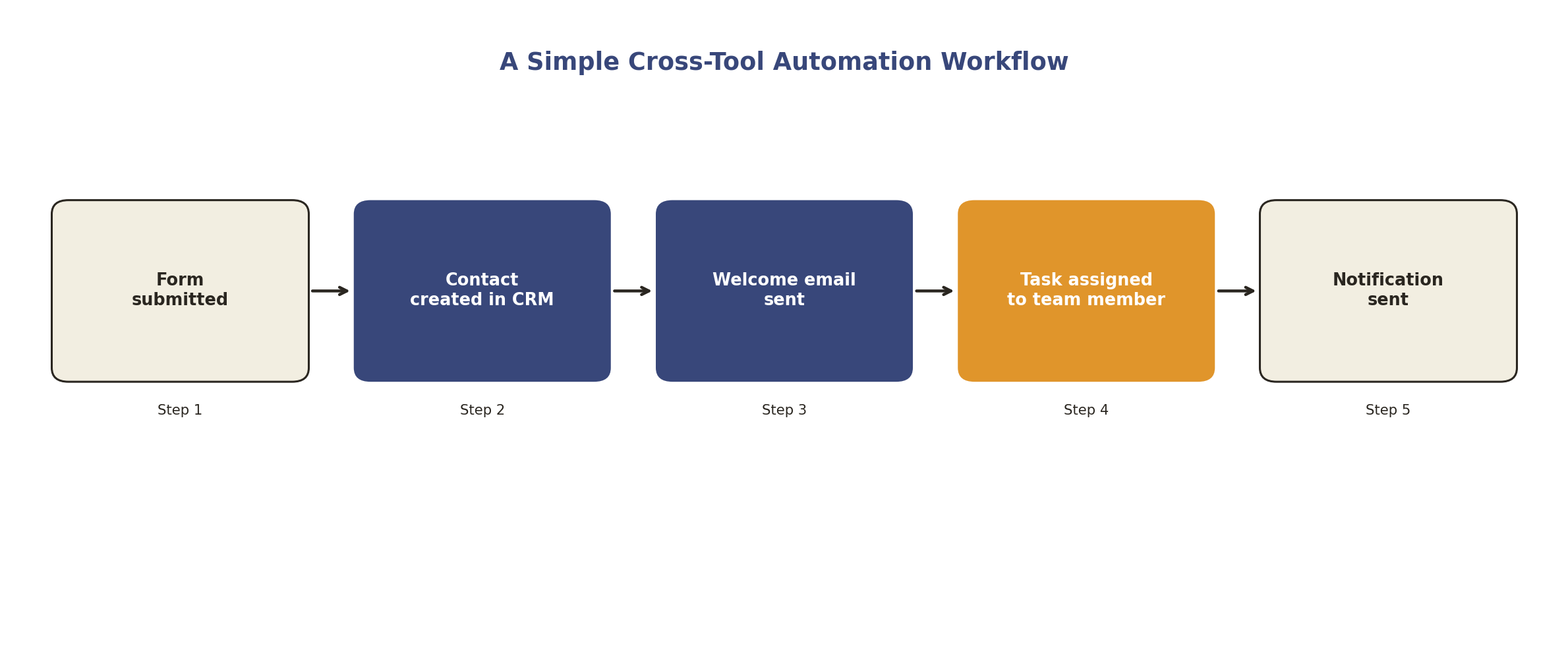
Illustrative workflow. Most reliable setups include an error alert and a manual fallback, not just the happy path shown here.
The best place to start is wherever your team is currently copying information from one place to another by hand. That is almost always something automation can handle reliably, provided it is set up and tested properly, with a way to catch it when something goes wrong.
Lower-Risk vs Higher-Risk Tasks to Automate First
Not every task is a sensible first candidate, and some should keep a person closely involved regardless of how mature your setup becomes.
Lower-risk, reasonable starting points:
Internal reminders and notifications
Drafting routine emails for review
Appointment confirmations and reminders
Invoice reminders for standard, undisputed accounts
Moving data between systems you have already approved
Preparing draft reports for a person to check
Scheduling pre-approved social content
Higher-risk, keep a person closely involved:
Issuing refunds or credits automatically
Changing prices without review
Sending unreviewed legal or financial information
Automatically rejecting or declining a customer
Making credit or eligibility decisions
Publishing factual claims without a review step
Sending high-volume marketing without a consent check
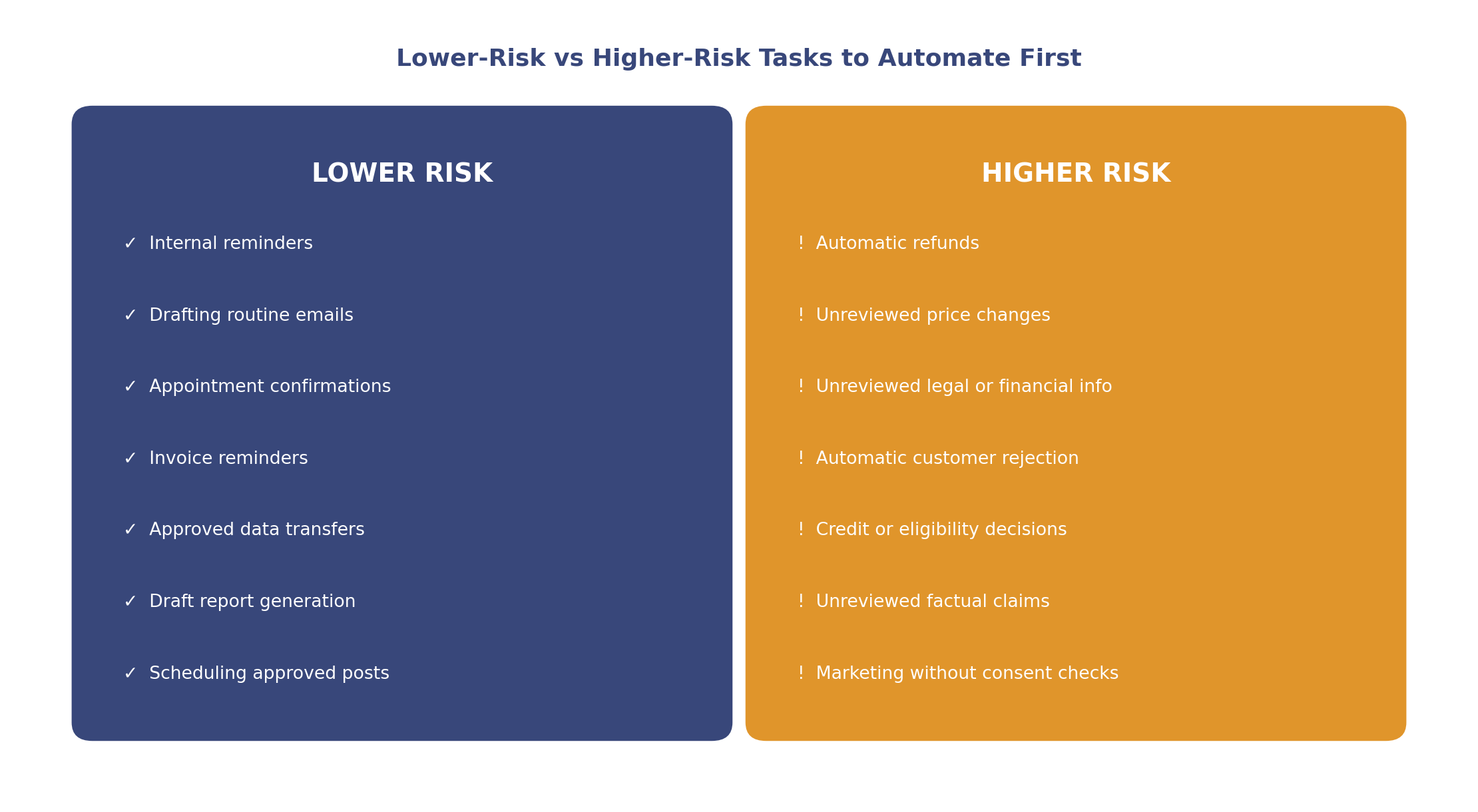
Illustrative starting filter. Your own risk tolerance and regulatory context still apply.
Automation Tools Worth Considering
Rather than naming a single "best" tool, it is more useful to think in terms of what each category is suited to, since the right choice depends on your existing stack and biggest pain point:
Workflow connectors (Zapier, Make, Power Automate): best suited to linking tools you already use without conventional coding. Zapier connects a very large number of apps; Make offers more flexible, visual multi-step routing; Power Automate fits naturally if you are already using Microsoft tools. All three still need proper setup, testing and error handling for anything beyond the simplest workflow.
Accounting platforms (Xero, QuickBooks, FreeAgent): best suited to invoicing, reminders and reconciliation. Strength is native finance workflows; limitation is that they are not general-purpose automation tools.
Email platforms (Mailchimp, ActiveCampaign, Kit): best suited to nurture sequences and campaign automation. Strength is accessible campaign building; how much AI personalisation and send-time optimisation you get varies by plan.
Social scheduling tools (Buffer, Hootsuite, Later): best suited to batching and scheduling content. Strength is saving daily context-switching; they do not replace genuine engagement.
AI chat and content tools (Intercom, Tidio for chat; Jasper and AI features in Notion or HubSpot for content): best suited to handling routine enquiries and speeding up first drafts, with a person still reviewing anything customer-facing.
All-in-one platforms (HubSpot, Zoho): best suited to teams that want CRM, email and workflow automation bundled together, at the cost of more setup complexity than a single-purpose tool.
Before comparing specific products, it helps to be clear on your biggest pain point, your existing stack, your budget, and how much internal capacity you have to configure and maintain a workflow. Our AI automation pricing guide breaks down typical UK costs for projects like this, and our guide to AI agents for small businesses covers the more advanced end of this spectrum, where a system takes actions rather than just connecting steps.
What This Can Look Like in Practice
These are illustrative scenarios rather than documented case studies, useful for showing the shape of a result, not a guarantee of what any specific business will see.
Illustrative example: a sole-trader consultant who spends an hour or two each month manually chasing invoices sets up scheduled reminders through their accounting tool. Actual improvement in payment time depends on customer behaviour and payment terms, but reduced manual chasing time is a realistic and measurable outcome. Our guide to AI tools for consultants covers this kind of workflow in more depth.
Illustrative example: a small ecommerce business sets up an abandoned-cart email sequence. Recovered revenue varies by audience and offer, and it is worth watching unsubscribe rates alongside any recovered sales, rather than looking at revenue alone.
Illustrative example: a service business connects its booking form to its CRM, so a new booking automatically creates a contact and a task. The realistic measure here is admin hours saved and a reduction in data-entry errors, tracked over a few weeks rather than assumed from day one.
A Simple Roadmap to Get Started
Choose one repetitive task, ideally your biggest current bottleneck
Measure how long it currently takes and how often it goes wrong
Map every step involved, including the exceptions
Pick a tool suited to that specific task, not the broadest platform available
Decide what still needs a person's approval before it goes live
Test it on a small, low-risk scale before rolling it out fully
Review the results after about four weeks, then decide whether to expand
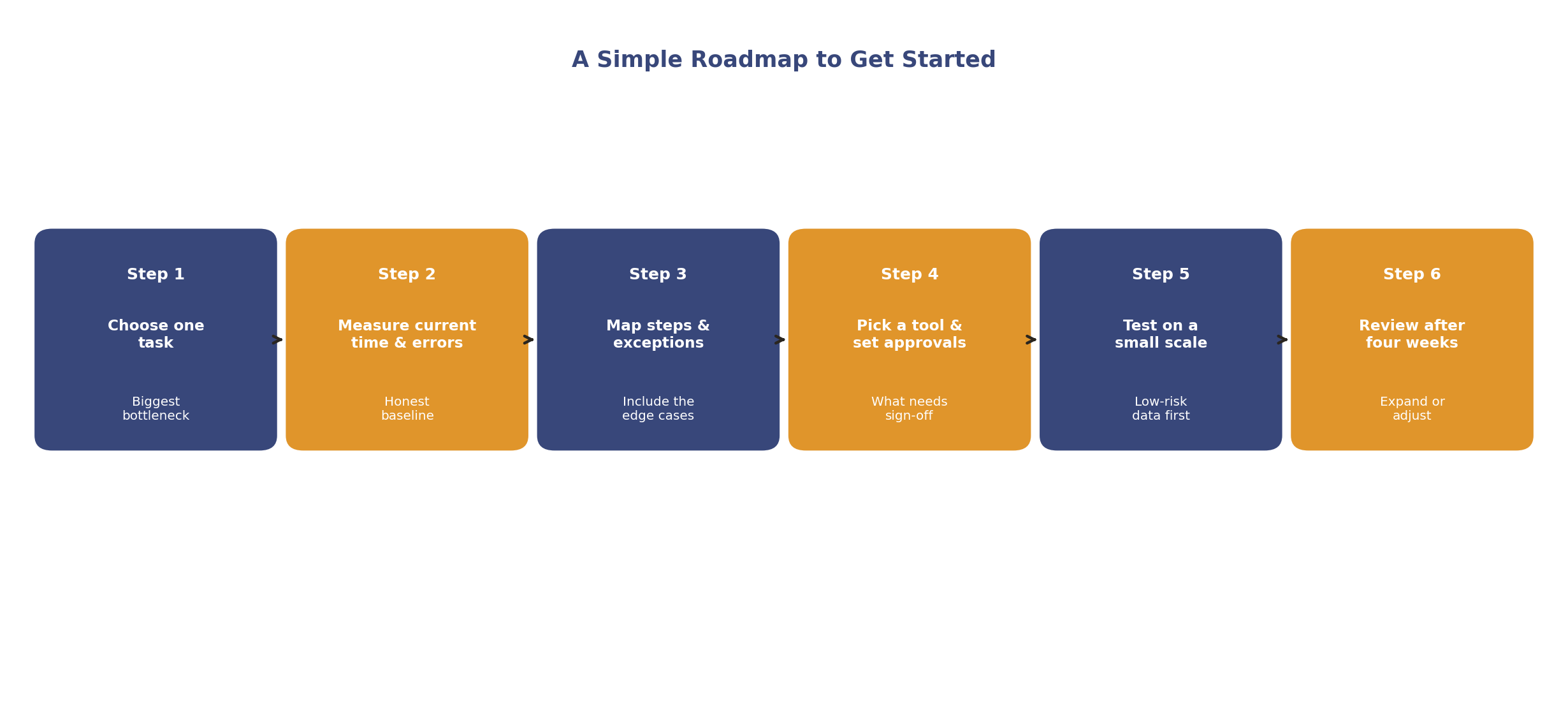
Illustrative roadmap. Pace depends on how complex the workflow is and how much time you can give it upfront.
What Should You Not Automate?
Not every task is a good candidate. Complaint handling, sensitive customer conversations, creative strategy, and anything that requires reading a specific situation and responding with genuine judgement should stay with a person. Automation is a tool for predictable, repeatable work, not a substitute for that kind of judgement.
The practical test: does the task need a person to make a contextual decision, or does it follow a predictable pattern? Predictable patterns are reasonable automation candidates. Contextual decisions are not. Automating the routine work frees up attention for the decisions that genuinely shape whether the business grows, which is the point of doing this at all.
Keeping Automations Working: Errors and Maintenance
Automations fail more often than the marketing for these tools suggests, usually for mundane reasons: a required field goes missing, an integration's access expires, a rate limit is hit, a trigger fires twice, an app changes its data format, or a process changes on your end without the automation being updated to match. A tested workflow can reduce missed handoffs; it still needs a way to catch it when something goes wrong.
Every automation worth relying on should have:
A named owner who checks it periodically
An alert if it fails or produces an unexpected result
A defined fallback for when it does not run
A basic audit trail of what it changed
A way to prevent or catch duplicate actions
A set review date, not an assumption that it will run forever unattended
A quick way to switch it off if something is clearly wrong
Building this in from the start is far easier than retrofitting it once several automations are already running unattended.
Governance and UK Compliance
Automation touches customer data quickly, so a small amount of structure is worth having even for a very small team:
Lawful use of data: have a basis for using customer data in each automated workflow, and keep it limited to what the task actually needs
Electronic marketing rules: PECR governs marketing by email, text and phone, with different rules for individual and corporate subscribers; check the ICO's business-to-business marketing guidance before automating marketing sends
Automated decisions: the Data (Use and Access) Act 2025 widened the circumstances in which businesses can make solely automated decisions with a significant effect on a person, provided safeguards such as information, challenge and human intervention are in place; check the legislation, current GOV.UK guidance and the ICO's latest material on automated decision-making, noting that the ICO's updated final guidance in this area was still being developed at the time of writing
Data protection complaints: since 19 June 2026, every UK organisation, with no exemptions for smaller businesses, must give people a way to make a data protection complaint, acknowledge it within 30 days, make appropriate enquiries, keep the complainant informed, and tell them the outcome without undue delay; see the ICO's guidance on handling data protection complaints
Vendor due diligence: check what an automation vendor does with your data, and where it is stored and processed
Access permissions: limit which systems and data each automation or integration can reach
Retention: decide how long data moving through an automated workflow is kept, and why
Compliance note: this is general information, not legal advice. Check current ICO and GOV.UK guidance and take independent advice for anything that could materially affect customers.
How to Measure Whether Automation Is Working
The number that matters is your own, not a generic industry claim. A simple way to think about it:
Monthly value of automation = hours saved × a realistic value per hour − tool cost − ongoing maintenance time
In practice, that means measuring the task before you automate it (how long it takes, how often it goes wrong), running the automation with a person reviewing the first batch of outputs, then comparing the two after a few weeks. If the net time saved and error rate genuinely improve, expand it. If they do not, adjust the workflow or pick a different task.
Frequently Asked Questions
Do I need technical skills to set up automation?
No, for most common workflows. No-code tools like Zapier and Make are configured through a visual interface. A simple form-to-email workflow can sometimes be set up quickly; a workflow spanning several systems with conditional logic is worth testing carefully before it touches live customer data.
How much does business automation cost?
Entry-level tools often start free and scale with usage. Many small businesses get meaningful value from tools in the tens of pounds a month range, though cost depends heavily on volume and which features you need. Our AI automation pricing guide breaks this down in more detail.
Where should I start with automation?
Start with the task that takes the most time and follows the most predictable pattern. For most small businesses, that is invoice chasing, lead follow-up, or CRM data entry. Automate one properly, measure the result, then move to the next.
Will automation make my business feel impersonal?
Handled well, automation tends to improve the customer experience through faster responses and more consistent follow-up. The key is to automate predictable touchpoints while keeping judgement-based interactions, such as complaints, sensitive conversations and genuine relationship-building, human.
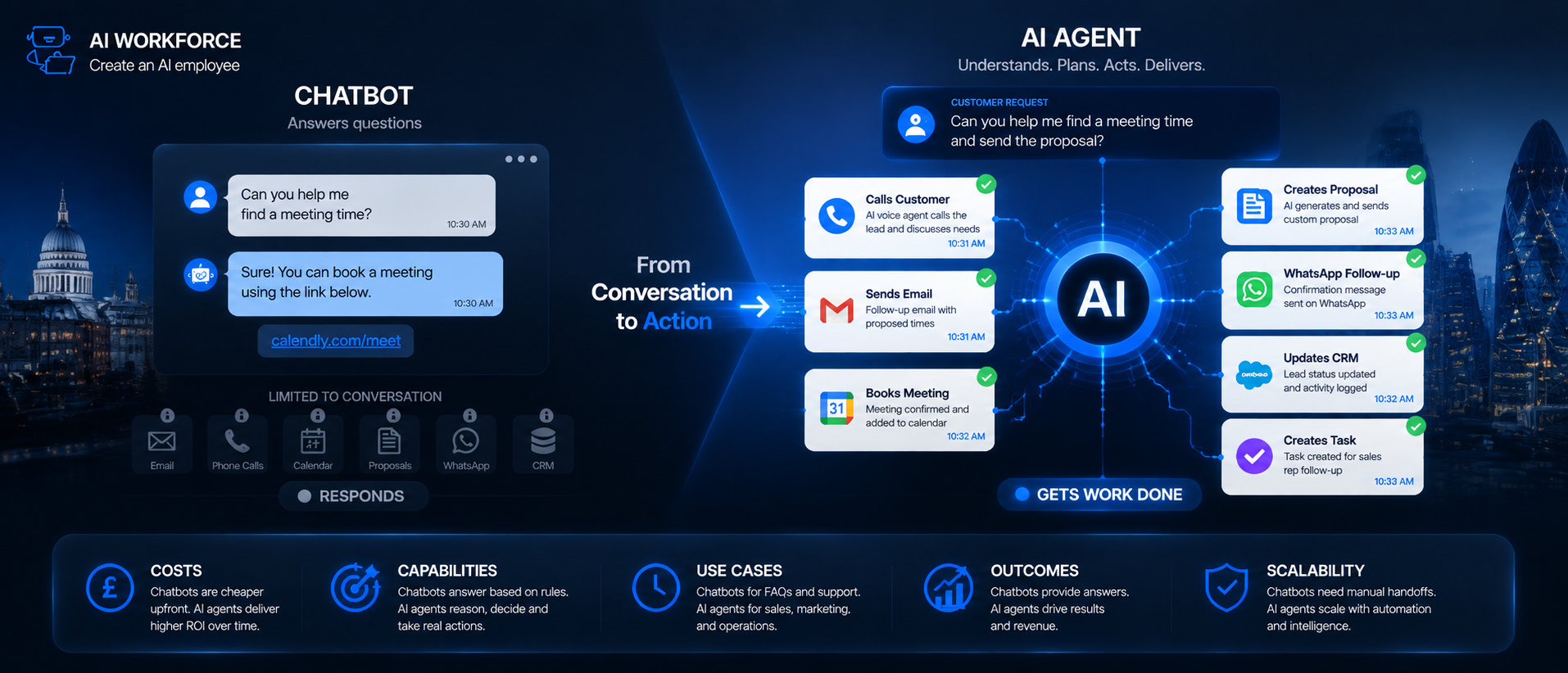
What is the difference between traditional automation and an AI agent?
Traditional automation follows fixed rules you define in advance. An AI agent can evaluate a situation and choose an action within limits someone has set, then report back on what it did. Our guide to AI agents for small businesses covers this distinction in more depth.
Can automation really run without any ongoing attention?
No. Automations break when a field changes, an integration's access expires, or a process changes upstream. Treat every automation as something that needs periodic review, not a one-off setup you can forget about.
Do UK data protection rules apply to small business automation?
Yes. Marketing automation sits under PECR, automated decisions sit under UK GDPR (as recently updated by the Data (Use and Access) Act 2025), and since 19 June 2026 every organisation, regardless of size, has needed a clear process for handling data protection complaints.
Key Takeaways
Automate one well-defined, repetitive task at a time rather than overhauling everything at once
Good starting candidates are invoicing, email follow-up, CRM updates, social scheduling and cross-tool workflows
Keep complaint handling, sensitive conversations and creative strategy human
Every automation needs an owner, an error alert and a fallback, not just a happy-path setup
UK marketing and data protection rules, including the newer data protection complaints requirement, apply regardless of business size
Measure hours saved and error rates honestly before deciding whether to expand a workflow
Ready to Automate the Right Things First?
Book a free AI readiness review to identify your highest-value repetitive task, assess the data and risk involved, and agree what should stay under human control before you automate anything.
About the Author
Rodi Taze is Co-Founder of AI Workforce. He works with UK small businesses to identify repetitive workflows, assess implementation risks and introduce AI-supported automation with appropriate governance and human oversight.
Reviewed: August 2026